Slot IQNFC and QR code appointment booking

Patients book their next visit before they leave

A stand on your counter. Patients tap it or scan it, then book in four taps. No app, no account and no line at the desk.

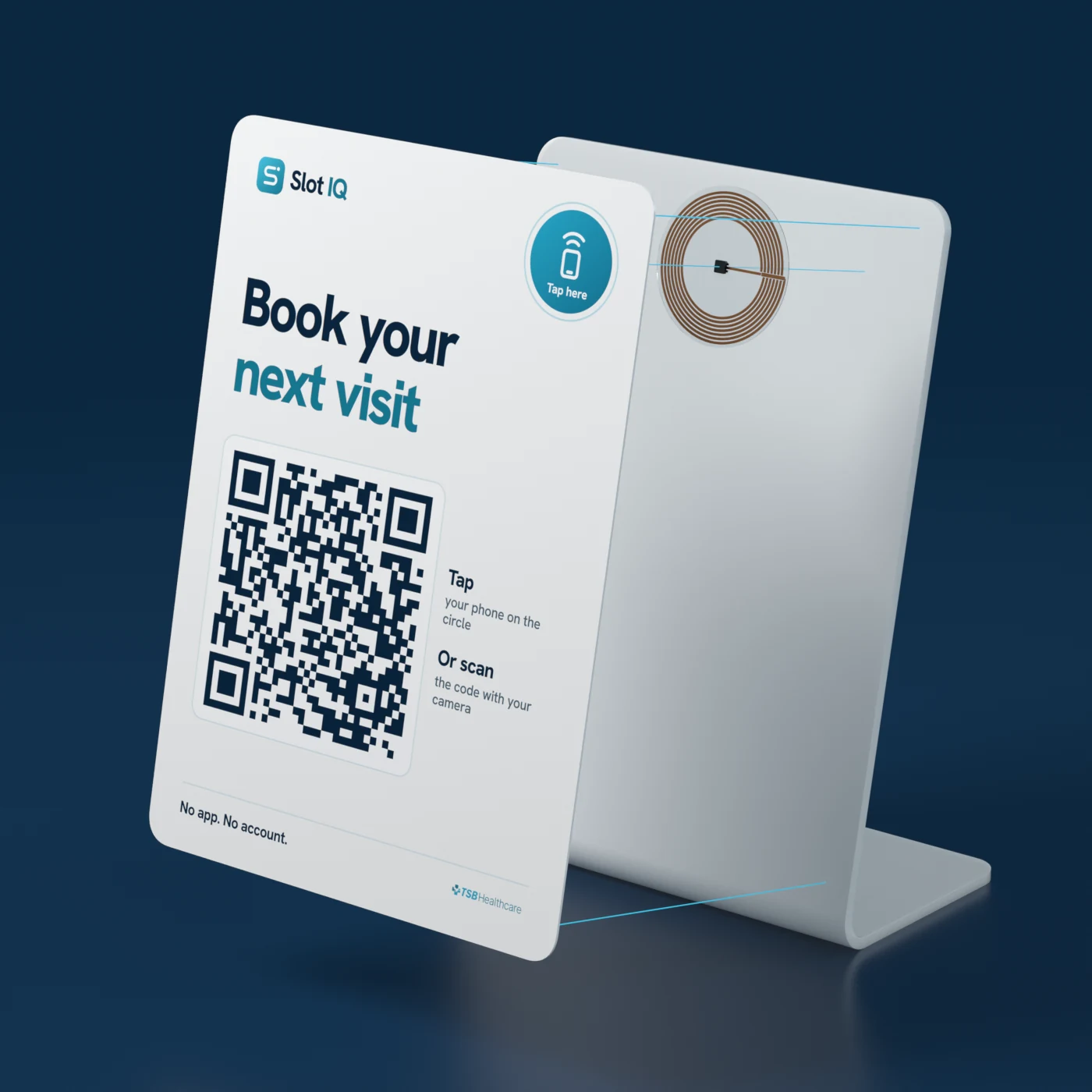
A white Slot IQ stand on a counter reading Book your next visit, with a teal tap target and a large QR code
Tap: the booking page opens by itself

The patient who needs a follow-up is already at your counter. Let them book it there

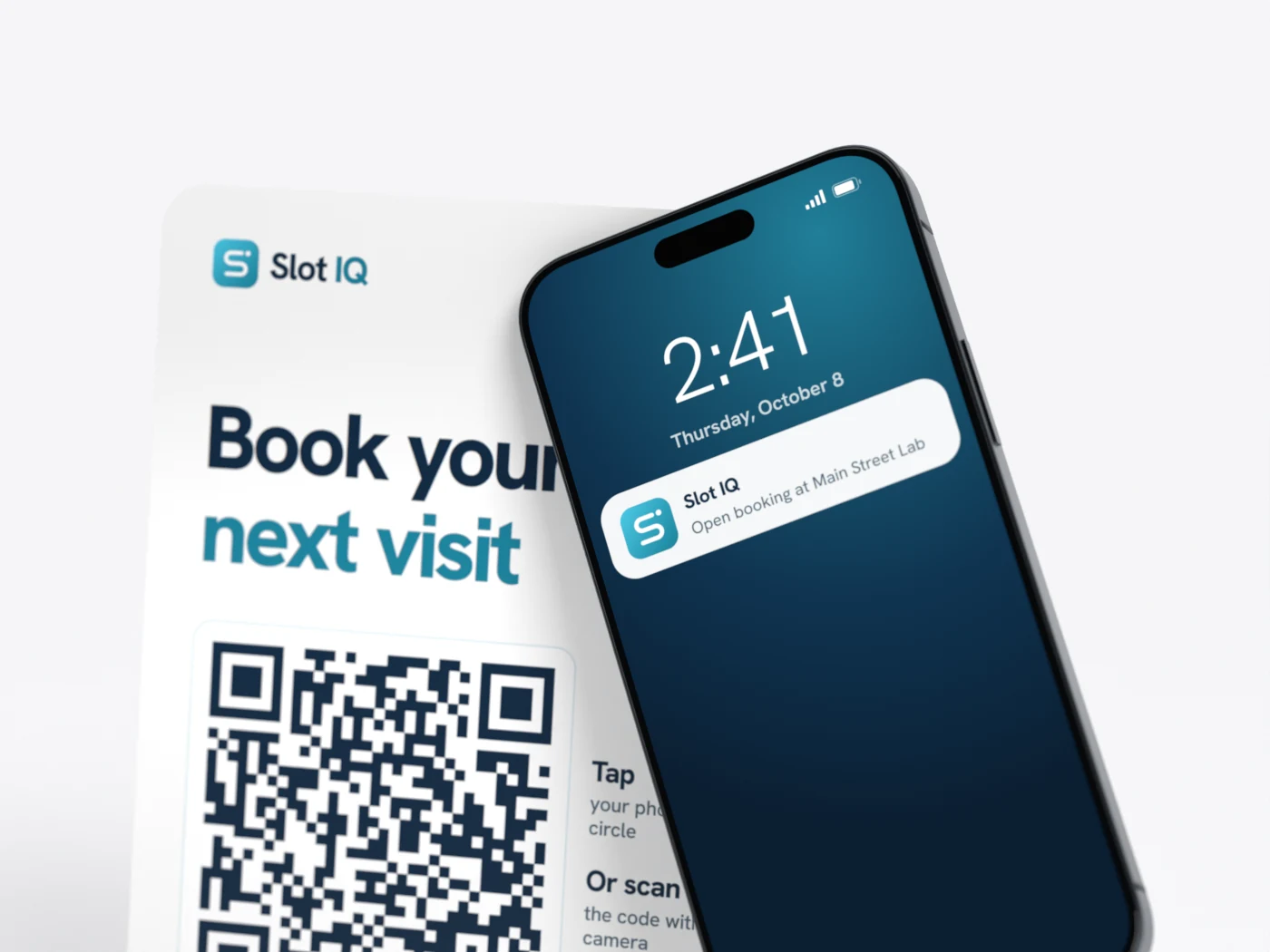
Close-up of a phone touching the teal circle on the stand, its screen showing the booking page

Tap

Phone to the circle and the booking page opens. Works on iPhone XS and later, and on most Android phones with NFC switched on.

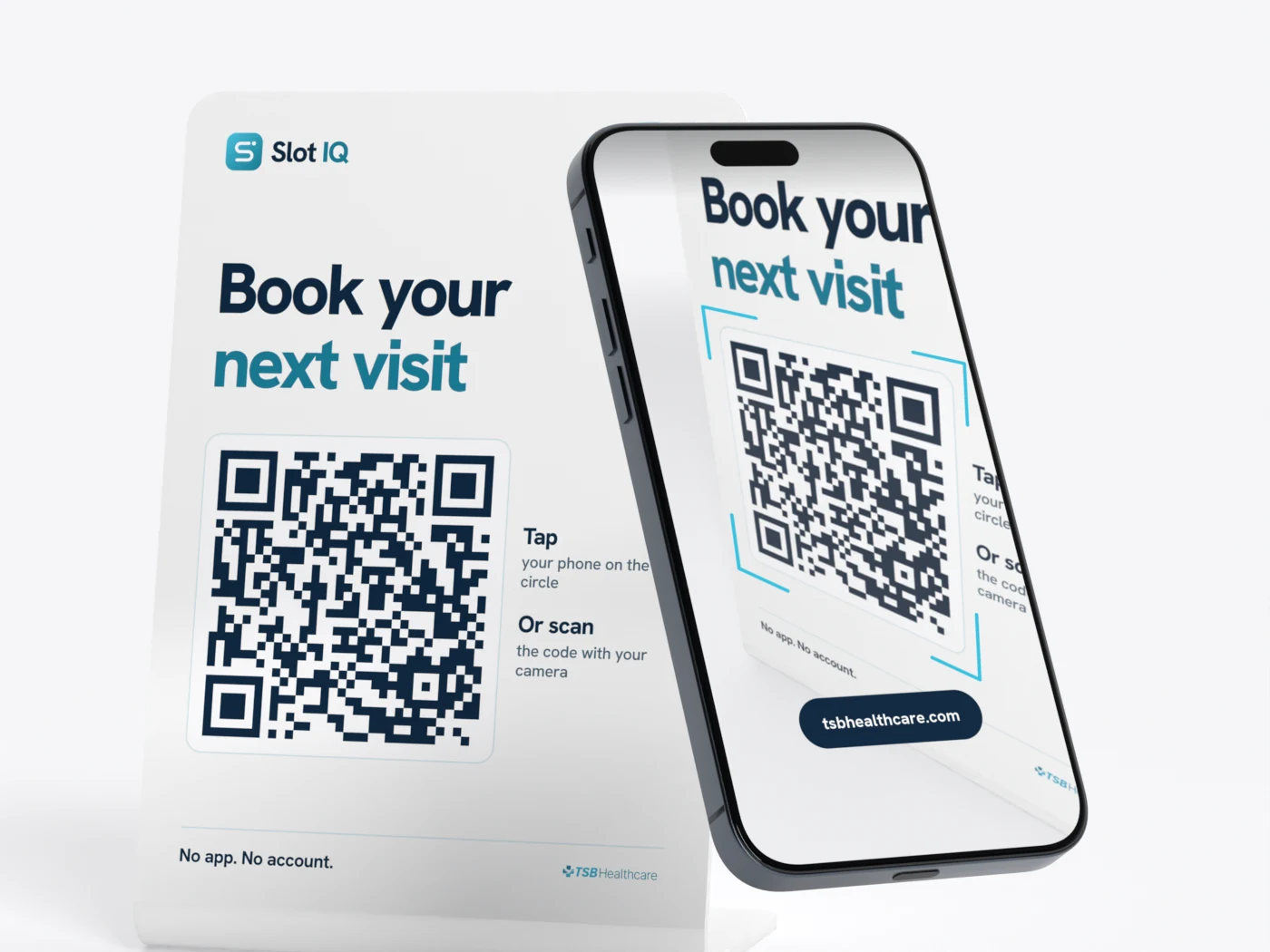
A phone held in front of the stand, its camera framing the QR code

Scan

Any phone camera opens the same page. It covers every phone that can't tap, so nobody at the counter is left out.

Try the four taps

This is what a patient sees after the tap. Nothing here is sent anywhere.

  1. 1Choose a service
  2. 2Every site, one search
  3. 3Pick a time
  4. 4Name and phone. Done
Scan to try itOpen this demo on your own phone
Slot IQMain Street Lab
Tap 0 of 4

What do you need?

Main Street Lab and nearby sites

Blood test

Open times at every nearby site

EarliestNearest

Main Street Lab

Pick a time

Thu8Fri9Mon12Tue13

Your details

Blood test, Main Street Lab, Thu 9:40 am

NameSam Lee
Mobile number(604) 555-0142

Your phone fills these in. No account to create.

You're booked

A reminder will come the day before.

TestBlood test
WhereMain Street Lab
WhenThu 9:40 am
Booking codeA107
Confirmation sent by text

After the last tap

The stand is the front door to the rest of Slot IQ. The patient moves through it without a call to your desk.

  1. Tap or scan

    The stand opens the booking page for that site

  2. Four taps

    Service, site, time, then name and phone

  3. Confirmed

    Confirmation by text, right away

  4. Reminded

    Email and SMS. One tap cancels or rebooks and returns the slot

  5. Arrived

    Check-in at the kiosk, then into one live queue

One stand for each place a patient stops

Each stand opens the right booking for where it sits.

ENTRANCEEXIT
Exploded view of the stand: the printed face, a round NFC inlay with a copper coil, and the bent white stand

The stand holds a link. Nothing else

No patient data lives on it, so there is nothing to lose if one walks off.

  1. 1Printed faceQR code, tap target and your wording
  2. 2NFC inlayStores one web address. No battery, no power, no network
  3. 3StandA folded sheet that sits on any counter. No cables to run

Patients already book for themselves

71%
of bookings made by patients in 2025, up from 63% in 2021
2.26M
online patient bookings, 2020 to 2025
4
taps from the stand to a booking
0
apps or accounts to set up

Lab Online Booking platform reporting, data through November 2025. Taps: Slot IQ product brochure, September 2026.

Live in days, not months

  1. Day 1

    Set up

    Sites, hours and services configured from your existing schedule

  2. Days 2–3

    Links and codes

    Booking links and QR codes issued, and flows tested with your team

  3. Days 3–5

    Training

    One afternoon per site, with no manual needed

  4. Go-live

    Stands in place

    Patients start booking. Reporting runs from the first day

  • No integration required
  • Demographic data only, no clinical information
  • Securely stored in Canada

FAQs

Questions? Ask us directly.

Do patients need an app or an account?
No. The tap or the scan opens a web page in the phone's browser. Booking takes four taps: service, site, time, then name and phone.
What does the NFC tag store?
One web address. It holds no patient information, and it needs no battery, power or network connection.
Which phones can tap?
iPhone XS and later read NFC tags without an app, and so do most Android phones with NFC switched on. Any other phone can scan the QR code with its camera.
Can we change where a stand points?
Yes. Each stand opens a link managed in Slot IQ, so it can move to another site or service without reprinting.
Does it connect to our clinic systems?
It does not have to. Slot IQ runs alongside your website, phone lines and clinic systems, with no integration required.
What about patients who do not use a smartphone?
Nothing changes for them. Your front desk and phone line stay as they are, and staff can book for a patient in Slot IQ.
What patient data does booking collect?
Demographic data only. Slot IQ retains no clinical information, and data is securely stored in Canada. See security & compliance.

Put a stand on your counter

See it on a call, set up with your own sites and services.

Trusted by leading health organizations
Vancouver Coastal Health Fraser Health Interior Health Provincial Health Services Authority Providence Health Care St. Joseph’s Healthcare Hamilton, coming soon Indigo Pharmacy, coming soon and more…